
Rust Cheats (Lite • Pro • Elite)
Lite, Pro, and Elite access to ESP, aimbot, no recoil, loot filters, and stream-proof overlays — partner-maintained after EAC patches.


At a glance
Key capabilities
What Elite focuses on before you open the full module list.
Plus 52 additional modules in the operator portal—see the full list below.
Overview
Rust cheats — ESP, aimbot & survival modules
How this build fits ranked, Turbo, and patch-day workflows.
Undetected Rust cheats with player ESP, precision aimbot, wallhack-style awareness, loot ESP, and weapon helpers — maintained for Steam PC with secure checkout and digital delivery through our partner.
This catalog entry covers Lite, Pro, and Elite access to the same module families; pick your tier at checkout. Feature availability follows the live partner build after Facepunch and Easy Anti-Cheat updates.
Rust Elite is the private build for operators who want everything—full radar suite, skin unlock utility, priority EAC patch queue, and direct developer support. Limited slots keep builds maintainable after Facepunch updates.
Use Elite responsibly
Elite power demands disciplined profiles. Test on low-pop servers, start with portal conservative presets, and scale up over days—not minutes. Staff in Discord help Elite users tune before main official queues.
Full operator suite
Expanded radar, loot filters, skin unlock utility, and priority EAC patch notifications on top of every Lite and Pro module. Use low-pop testing before main official—Elite power requires disciplined profiles, not rage settings.
Availability
Elite shows as limited slots on the status banner. Open a Discord ticket if checkout is gated—staff confirm slot availability before purchase.
Modules
What's included
Every module shipped with Elite—toggle and tune in the operator portal.
Visual ESP
- Toggle players
- Custom players & team colors
- Player distance slider
- Toggle scientists
- Scientists distance
- ESP style
- Box ESP
- Skeleton ESP
- Name ESP
- Health ESP
- Player item ESP
- Player weapon ESP
- Toggle animal ESP
- Animal distance slider
- Boar, deer, bear, wolf, horse, chicken ESP
- Toggle ores ESP
- Sulfur, metal & stone ESP
World & loot ESP
- Collectables ESP (wood, berry, hemp, food)
- Trap ESP (shotgun, auto turret, snap, flame, mines, SAM)
- Hidden stashes
- Tool cupboards
- Dropped items ESP
- Weapons-only filter
- Vehicles ESP with distance slider
Weapon options
- Instant eoka, compound & bow
- No recoil (yaw & pitch)
- No sway, spread & bob
- Sprint & far melee
- Recoil while scoped
- Auto reload sniper
- Always automatic
- Rapid fire
- Longneck & shortneck keys
- Left/right side peek keys
Aimbot options
- Toggle aimbot
- Aimbot FOV slider
- FOV circle
- Aimbot smoothing slider
- Custom aim bone
- Custom aim key
Movement & utility
- Admin flag
- Stash exploit
- Bright night & fullbright
- Spiderman
- Infinite jump
- Low gravity
- Climb assist
- No fall damage
- Zoom & FOV changer
- Flyhack
- Self kill
Config & overlay
- Close cheat hotkey
- Toggle watermark
- Font, icon & corner size sliders
- Box width & skeleton size
- Game width
- Update & renderer FPS sliders
Compatibility
System requirements
Quick checklist before checkout or loader install.
-
Windows
Windows 10 or 11 (64-bit).
-
Permissions
HVCI on, Core Isolation on, TPM on, Secure Boot on — per partner build requirements.
-
Hardware
Cloud DMA required for full functionality on supported builds (partner loader).
-
Network
Stable internet for loader access, updates, and secure checkout.
Experience
In the client · After you buy
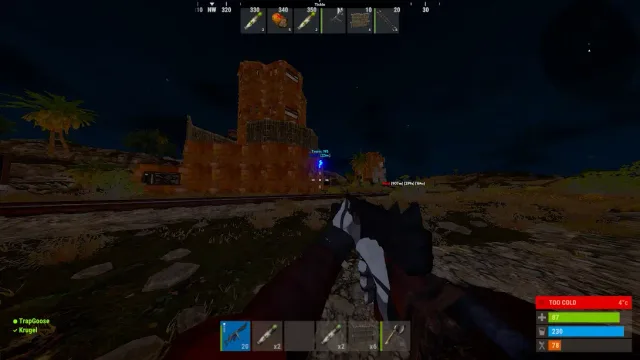
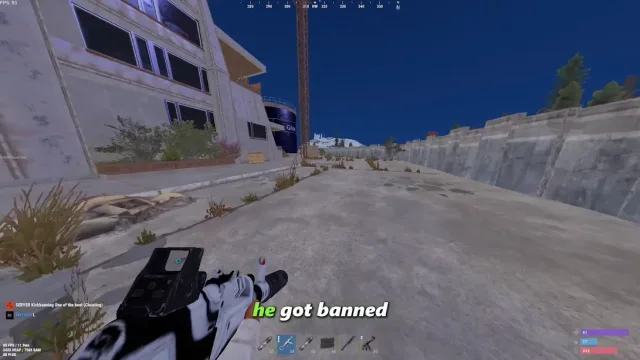
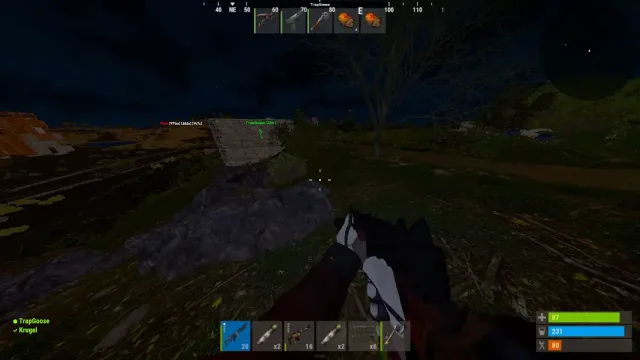
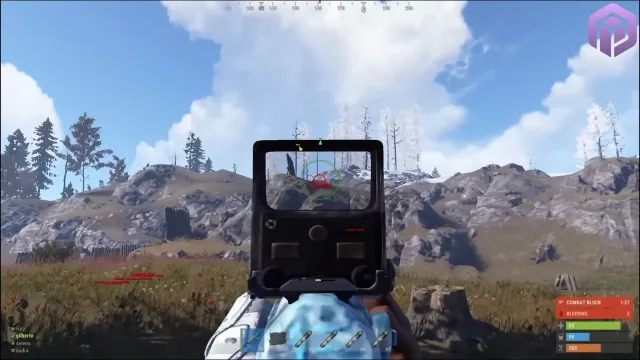
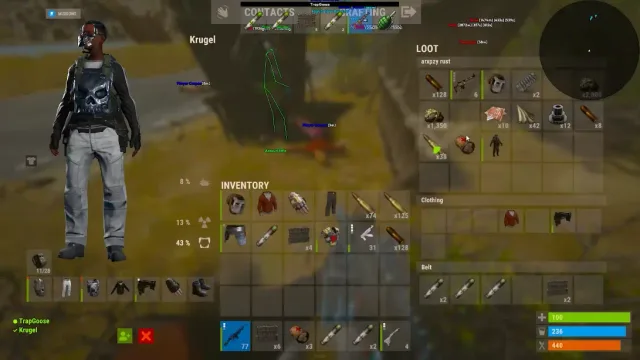
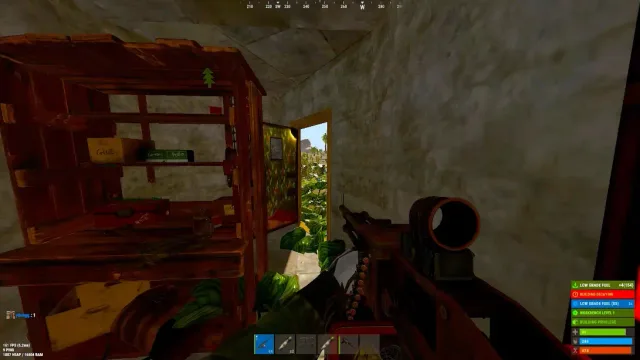
Use the screenshots above for Elite—below is what each layer means and how access works after checkout.
In-game layers
- Layer A
Player ESP overlay
Name tags, distance, and awareness layers during an official-server session.
- Layer B
Wipe day session
Progression and PvP footage from the same media set as our blog and hero slider.
- Layer C
Monument PvP
High-pop official roam—full frame preview without logo or catalog art.
- Layer D
Biome coverage
Additional angle from rust-27 captures used across guides and product pages.
Guides
Learn more about Elite
Curated articles for setup, tuning, and patch-day checks that match this product.
Rust Elite tier guide: full suite and priority patches
When to upgrade to Elite—full ESP, radar, aim suite, skin unlock, and first-in-line Facepunch patch support.
Rust cheats features guide: ESP, aimbot, radar, and more
Complete Rust Cheat module map—player ESP, silent aim, no recoil, loot ESP, radar, stream proof, and tier breakdown.
Rust ESP setup: players, loot, sleepers, and TC range
Tune Rust Cheat player ESP, loot ESP, sleeper tags, and tool cupboard range for official servers.
EAC patch day checklist for Rust on Steam
Facepunch update day steps—verify Easy Anti-Cheat, loader status, and safe configs before official servers.
How to buy Rust cheats in 2026
Rust Cheat purchase walkthrough—pick Lite, Pro, or Elite, secure checkout, loader download, and first launch.
Rust server admin commands guide for owners
Facepunch Rust admin and F1 commands for server owners—auth levels, bans, kits, and wipe tools (not ranked third-party cheats).
FAQ
Questions about this page
Answers tied to what you are reading—visit the FAQ page for every topic.